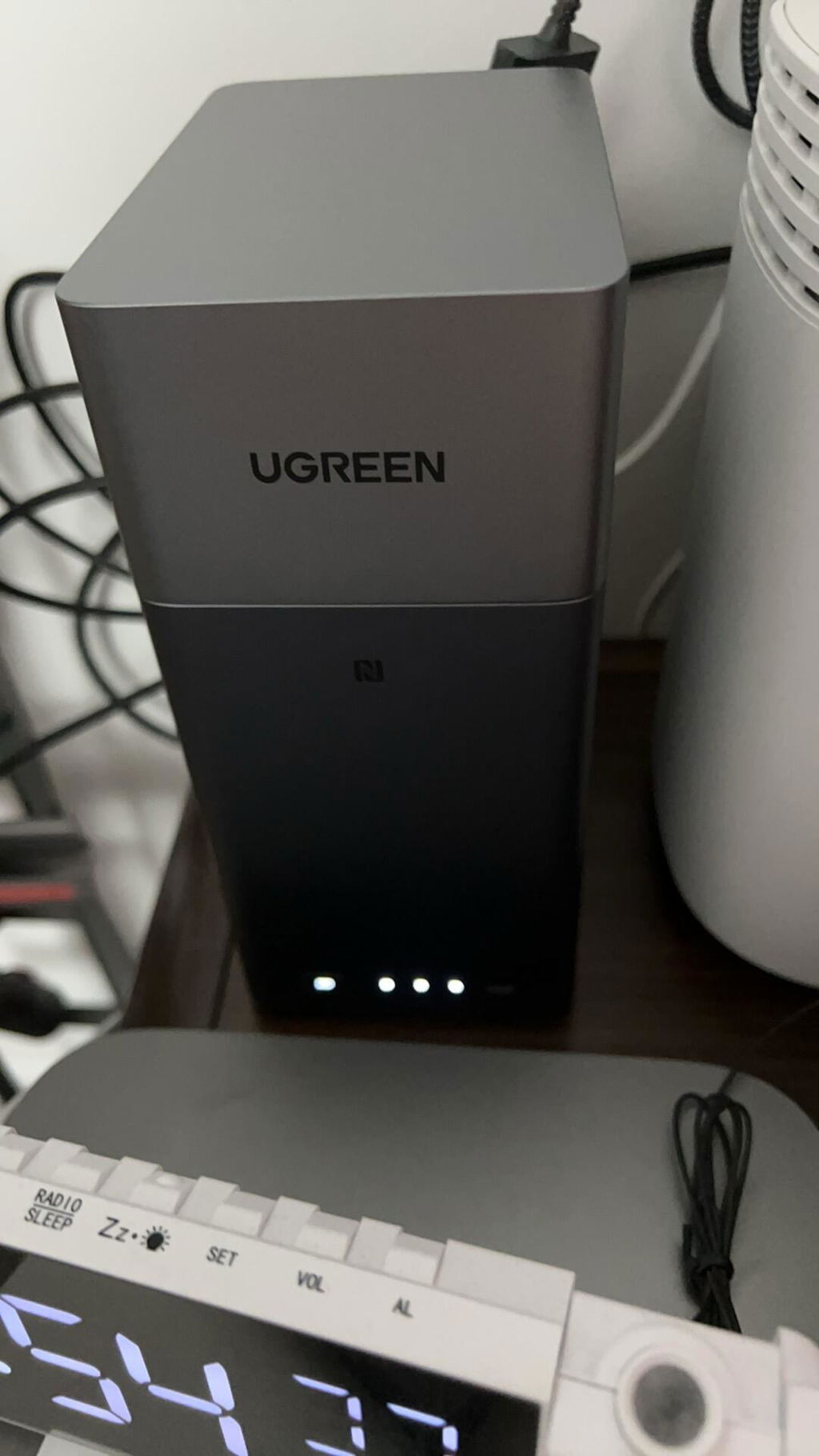
UGREEN NASync DH2300
- Built for NAS Beginners: The UGREEN NASync DH2300 is a simple 2-bay home NAS for automatic photo backups, everyday file sharing, and a family media library.
- Keep Family Photos Organized: AI groups photos by faces, scenes, and places, helps identify duplicates, and creates baby growth albums. Share selected memories by link or QR code.
- Up to 64TB of Your Own Storage: Two SATA bays give photos, videos, and household files room to grow, without a required cloud storage subscription.
- Simple Access Across Your Devices: Manage files through UGREEN apps or a browser, share between phones and computers, and enjoy supported media on a TV through 4K HDMI.
- Local Storage with Access Controls: Keep files on your own NAS and manage access with encryption, firewall settings, and two-factor authentication.
- Device warranty: Two-year device warranty. See applicable warranty terms. Warranty terms
Notes: Storage drives sold separately. Docker and VM are not supported.
 Fast & Free Shipping
 30-Day Price Match
 2-Year Product Warranty
 30-Day Returns
Couldn't load pickup availability


 Expected delivery date: ${time}
UGREEN NASync DH2300
Expected delivery date: ${time}
NAS is Your Personal Cloud


Everything in One Place
More Affordable
Why We Recommend NAS
Subscription
Data Security
Upload and Download Speeds
Easy to use

Free
High
File sync & backup
Permission management
Real-time scan
Fast & Stable

Paid
Limited
Cloud provider outage
Lost file access rights
Limited & Unstable

--
Low
Hardware damage
Fast
NAS Has Never Been Easier


Tap to Connect
Effortless Installation
All-in-One App
Much More Than Just Storage


Home Cinema
AI Album
Your Smart Collaboration Hub


Port Layout


What's in the box


Detailed Specs
Frequently Asked Questions About UGREEN DH2300
Yes. Enable Album Backup in the UGREEN NAS app and give it access to your photo library. This copies photos and videos, not your apps, messages, or iPhone settings. iOS can pause background uploads, so check that the first backup finishes before relying on it. See how to back up iPhone photos to UGREEN NAS.
The DH2300 is a diskless NAS—storage drives need to be purchased separately. Open the UGREEN NAS compatibility list, select the DH2300, and check the specific drive brands and models that have passed UGREEN NAS compatibility testing.
It has two SATA bays supporting up to 32TB per bay, for 64TB of raw capacity with two 32TB drives. There are no M.2 slots, so all storage is SATA.
Two 8 TB drives in a RAID 1 array, after deducting the UGOS system file space, you get about 7.3 TB of usable storage. RAID 1 mirrors your data and can tolerate one drive failure, but it does not replace a backup. Use the UGREEN RAID Calculator to estimate usable space for other drive sizes.
Yes. UGOS supports starting with a single-drive "Basic" storage pool. Later, you can add a compatible second drive and then change the storage pool to RAID 1. Data on the new drive will be erased, so please back up your data separately before you begin.
See how to expand UGREEN NAS storage by adding a drive to a Basic pool.
No. The DH2300 does not currently have official Docker support and does not support virtual machines. Do not buy it for Docker-dependent services such as Plex Server, Home Assistant, or most self-hosted applications; unofficial installations are outside the supported configuration and can affect stability. For direct home playback, the DH2300 supports 4K HDMI output and DLNA.
Choose the DXP2800 GT if you want the NAS itself to run Plex in Docker.
Partly. The DH2300 handles photo and video storage, automatic phone backup, organization, and sharing without a monthly subscription — but it isn’t a one-for-one replacement. You manage the system yourself, Remote access is set up through UGREENlink..
Keep a second copy. A NAS in your home is a single location: RAID protects against a drive failure, not fire, theft, or accidental deletion. Treat the NAS as your primary library and keep an off-site or cloud backup of anything irreplaceable.
Before deleting originals from your phone, confirm the recent files are present and open correctly on the NAS.
Yes, but the steps depend on where the originals are stored. The UGREEN NAS app backs up photos available through your iPhone’s Photos library; it does not sign in to iCloud Photos to download the entire cloud library. For Google Photos, export with Google Takeout and import the files. Verify the NAS copy and keep a separate backup before deleting originals. See the UGREEN NAS Photos guide for instructions on bringing an existing library into UGOS.
Yes. Enable SMB and Bonjour in UGOS, create a dedicated shared folder, and set it as the Time Machine destination on your Mac. Set a storage quota for that folder so Time Machine does not consume all available capacity. For the exact setup sequence, see how to back up a Mac to UGREEN NAS with Time Machine.
The DH2300 is rated at 13.72W during drive access and 3.304W during drive hibernation (This power consumption data was measured by UGREEN’s lab using a Seagate 2TB hard drive).
Actual consumption depends on the number and type of installed drives, network activity, background tasks, cooling, and power settings.
Choose the DH2300 if two bays are enough for phone photos, computer backups, and shared files. Choose the four-bay DH4300 Plus if you want more room to add drives, a 2.5GbE connection, or RAID 5 or RAID 6 for a growing library.
Choose the DH2300 if two SATA drives cover your family photos, backups, files, and direct HDMI or DLNA media playback.
Choose another model if you need more than two bays for future growth, RAID 5 or RAID 6, M.2 SSD slots for caching or fast storage, official Docker and virtual-machine support for self-hosted apps, or faster than 1GbE networking. You can filter the lineup by exactly those requirements — browse and filter UGREEN NAS models.
Open the UGREEN NAS Download Center and select DH2300. Use Product Documentation for manuals, System Firmware for model-specific updates, and Client or Apps for available software.
Specs
| SKU | 95087 |
| Model | DH2300 |
| Supported Languages | English, Deutsch, Français, Español, Português, Italiano, 中文, 日本語 |
| Drive Bays | 2-Bay (SATA) |
| Operating System | UGOS |
| CPU Model | A72+A53 8 Core |
| CPU Brand & Architecture | Rockchip A72+A53 8 Cores 2.2GHz |
| Memory (RAM) | 4GB LPDDR4X |
| Flash Memory (System Disk) | eMMC 32GB |
| SATA Drive Bays | 2 |
| RAID | JBOD/Basic/RAID 0/RAID 1 |
| Maximum Storage | 64TB (2x 32TB) |
| LAN Ports (RJ45) | 1x 1GbE |
| PCIe Expansion | - |
| High-Speed USB Ports (Front Panel) | 1x USB-C(5Gb/s), 2x USB-A (both 5Gb/s) |
| HDMI | 4K 60Hz |
| Product Dimensions | L151 x W98 x H213.7 mm |
| Power Consumption |
13.72W (drive access)
3.304W (drive hibernation) |